| Sign In | Join Free | My burrillandco.com |
|
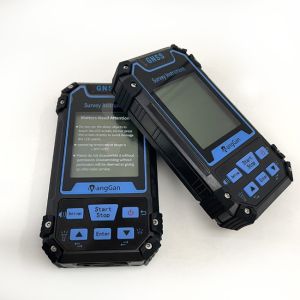
Multi-function GPS Land Area Measurement Handheld Agriculture GPS Land Meter The Navigation and Viewing Function of Tack Of GPS Land Meter: 1. In the home screen of the device, press the [Setting] button to ent...
... the【Start】button to start measuring. ③ Press the【Enter】button to collect the information of the point. ④ Press the 【Stop】button to stop the measurement and view the measurement data;If the measurement is...
...GPS Distance Meter About This Machine Of GPS Distance Meter: ① On the home page of boot,press the【Settings】button to enter the settings interface; ② Press the▲▼button move to“About This MAC”; ③ Press the【Ent...
... at the starting point. ② Walk along the measuring line to the end point and press the 【Stop】button to stop the measurement and view the measurement data; ③ If the measurement is not completed,press the【Star...
... the【Start】button to start measuring. ③ Press the【Enter】button to collect the information of the point. ④ Press the 【Stop】button to stop the measurement and view the measurement data;If the...
GPS Survey High Accuracy Land Distance Area Measuring Handheld GPS Surveying Units Normal area measurement of Handheld GPS Surveying Units 1. At the starting point,press the【start】button to measurement in the m...
...】button for 3 sec to measurement at the starting point. ②Walk along the measuring line to the end point and press the 【Stop】button to stop the measurement and view the measurement data; ③ If the measurement ...
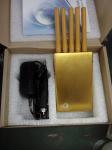
Product Description What you are viewing is a new jamming device called 5 Antenna Portable Mobile Phone Jammer, GPS Jammer and WiFi Jammer. This is a jamming device which possesses the function of jamming mobil...
...”; ③Press the【Enter】button to enter; ④Press the▲▼button to move,select data statistics or measurement records; ⑤Press the【Enter】button to enter,and view detailed records information. ⑥Press the...
...starting point. 2. Walk along the measuring line to the end point and press the [Stop] button to stop the measurement and view the measurement data. 3. If the measurement is not completed,press the [Start] b...
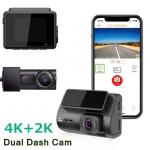
...GPS Dashboard CameraAuto Camera sony lens night sight motion detection Car Black Box Dash Cam Mode Number R19 DSP NTK96670 Sensor SONY IMX335 Sensor cabin: IMX315 Display 2''IPS, 240(RGB)x320 Lens Single Len...
... GPS Front Inside Back 4K+2K Car DVR Camera Recorder SONYIMX335 Dashboard Camera Mode Number R19 DSP NTK96670 Sensor SONY IMX335 Sensor cabin: IMX315 Display 2''IPS, 240(RGB)x320 Lens Single Lens 4k@30fpps V...
...GPS Nav Multimedia System for Prado 2013 Quick Detail: - Car Make: Toyota Prado 2013 - Screen Size: 10.1 Inch - Cores: Quad Core - RAM: DDR3 1GB - OS: Pure Android 4.4 system - Placement: Dashboard - High te...
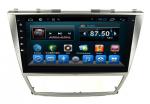
...GPS Navigation System for Toyota Camry 2008 Quick Detail: - Car Make: Toyota Camry 2008 - Screen Size: 10.1 Inch - Cores: Quad Core - RAM: DDR3 1GB - OS: Pure Android 4.4 system - Placement: Dashboard - High...
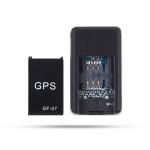
...Magnetic Free Installation GPS Locator Elderly Children Anti-Loss Device Real-Time Tracker Product Description Car GPS Locator Product advantage: 1. Both indoor and outdoor positioning can be effective, all-...
Multi-function GPS Land Area Measurement Handheld Agriculture GPS Land Meter The Navigation and Viewing Function of Tack Of GPS Land Meter: 1. In the home screen of the device, press the [Setting] button to ent...
...”; ③Press the【Enter】button to enter; ④Press the▲▼button to move,select data statistics or measurement records; ⑤Press the【Enter】button to enter,and view detailed records information. ⑥Press the...
... the【Start】button to start measuring. ③ Press the【Enter】button to collect the information of the point. ④ Press the 【Stop】button to stop the measurement and view the measurement data;If the measurement is...
...GPS Distance Meter About This Machine Of GPS Distance Meter: ① On the home page of boot,press the【Settings】button to enter the settings interface; ② Press the▲▼button move to“About This MAC”; ③ Press the【Ent...
... at the starting point. ② Walk along the measuring line to the end point and press the 【Stop】button to stop the measurement and view the measurement data; ③ If the measurement is not completed,press the【Star...